
HomeStyler Review: Is This the Best AI Interior Design Tool in 2026?
- Let's Compare AI

- Jan 22
- 5 min read
I’ve recently bought an old cottage that needs renovating, and one of the biggest challenges has been visualising what the spaces could look like once the work is done. If you’ve ever stood in an outdated room trying to imagine a completely different style, you’ll know how hard that can be.
That’s why I decided to properly test HomeStyler, not with a demo room or a showroom example, but by uploading a real photo of my own living room and letting the AI redesign it. I chose an industrial style, and honestly — I was blown away by the result.
What is HomeStyler?
HomeStyler is an AI-powered interior design and room planning tool that lets you redesign spaces using either floor plans or real photos. You can upload an image of a room, choose a style, and let the AI generate a realistic redesign in seconds. From there, you can tweak layouts, furniture, colours, and materials in both 2D and 3D.
It’s aimed at homeowners, renovators, DIYers, and even professionals — but I wanted to see how well it worked for a normal, imperfect space in an older property.
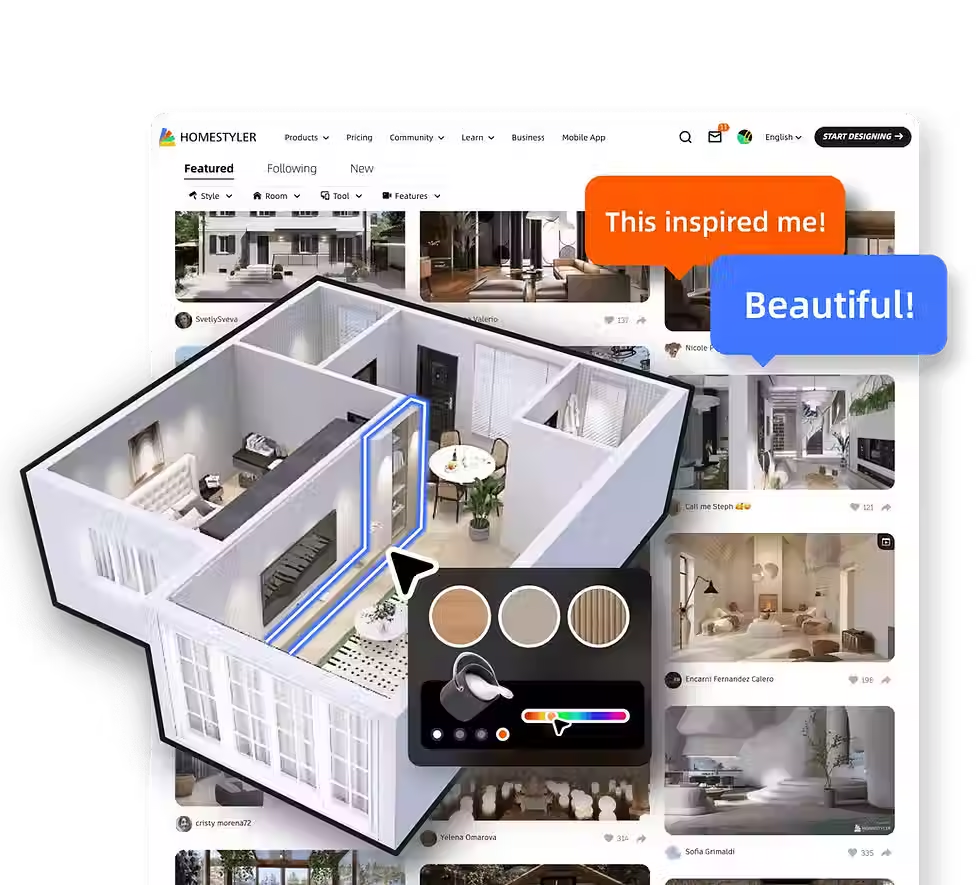
Common Interior Styles Available in HomeStyler
HomeStyler typically lets you pick from a range of preset design styles when you’re generating an AI redesign or choosing look-and-feel options in a plan:
Classic & Popular
Modern – clean lines, minimal clutter, neutral palettes
Contemporary – current trends, sleek surfaces
Minimalist – very simple, pared back, lots of open space
Industrial – raw materials, metal accents, darker tones (that’s what you used)
Scandinavian – light, airy, wood tones, functional
Trend-Led & Aesthetic
Rustic – wood beams, natural textures, warmth
Farmhouse – cozy, cottage vibes, vintage touches
Vintage – retro elements, curated looks
Bohemian – eclectic mix, artistic, layered textiles
Mid-Century Modern – 50s-70s inspired furniture and curves
Sleek & Urban
Industrial Chic – a softer industrial feel
Urban Modern – city loft vibes
Luxury – richer materials, elegant finishes
High-End Classic – refined, traditional luxury
Creative & Fun
Eclectic – bold mixes of styles
Coastal – light, breezy, seaside palette
Art Deco – geometric shapes, glam finishes
Mediterranean – warm tones, rustic but elegant
Why I tested HomeStyler on my own cottage living room
My cottage living room is very much a work in progress. It has character, but it also needs updating, and like many older homes, it doesn’t fit neatly into modern design templates.
Rather than guessing or relying on mood boards, I uploaded a photo of the room into HomeStyler and selected industrial style — something I’ve always liked but wasn’t sure would work in a traditional cottage setting.
The idea was simple:Could AI give me real inspiration for a real renovation?
The result: genuinely inspiring (and surprisingly practical)
Within seconds, HomeStyler produced an industrial-style redesign of my living room — and it instantly made things click.
The darker tones, cleaner layout, industrial lighting, and furniture choices helped me see how a modern style could work without losing the character of the cottage. It wasn’t over-the-top or unrealistic; it actually felt achievable.
What impressed me most was that it didn’t just look good — it gave me clear ideas I can act on, such as:
how darker flooring could change the feel of the room
how lighting placement could modernise the space
how simplifying the layout improves flow
I found myself thinking, “I could actually do this.”That’s the difference between inspiration and usefulness — and HomeStyler crossed that line for me.

What I liked most about HomeStyler
Uploading a real photo
Being able to redesign my actual living room made all the difference. This wasn’t a fantasy space — it was my cottage, my walls, my proportions.
The industrial style result
The AI handled the industrial look far better than I expected, especially in an older property. It gave me confidence that this style can work during the renovation.
Speed
From upload to result took less than a minute. That’s faster than scrolling Pinterest for half an hour and still feeling unsure.
Editing after the AI result
I liked that I wasn’t locked into the AI’s first output. I could tweak furniture, colours, and details to refine the idea.
Where HomeStyler isn’t perfect
As good as it is, it’s not flawless — and that’s fine.
Some furniture choices can feel a bit generic
Awkward room shapes sometimes need manual adjustment
High-resolution renders may require a paid plan
That said, none of these were deal-breakers for me, especially at the inspiration and planning stage.
How it compares to other AI interior design tools
I’ve looked at a few alternatives, and this is where HomeStyler stands out:
RoomGPT is fast, but you’re mostly stuck with the AI result
Interior AI is great for inspiration, less so for practical planning
Planner 5D is strong for layouts, weaker on AI styling
HomeStyler sits in a really good middle ground — strong AI and hands-on control.
Is HomeStyler worth using for renovations?
For me, absolutely yes.
Using it on my own cottage living room turned vague ideas into something visual and concrete. It helped me move from “I think I want an industrial feel” to “I know how this could actually look in my space.”
If you’re renovating, especially an older property, that clarity is incredibly valuable.
How Much Does HomeStyler Cost To Use?
HomeStyler uses a tiered pricing model, making it accessible for casual users while still offering advanced features for professionals. Plans can be billed monthly or annually, with annual billing typically offering better value.
For individuals, the Basic plan is free and includes access to the 3D floor planner, a large furniture library, and unlimited 1K renders — more than enough for experimenting with ideas.
Paid plans start at $3.90 per month and unlock premium models, templates, higher-resolution renders, and watermark removal. The top individual tier offers unlimited 4K renders along with higher-resolution panorama credits, making it suitable for serious renovation planning or professional use.
HomeStyler also offers Team and Enterprise plans, starting at around $19.60 per seat, which add collaboration tools, shared assets, and account management features for businesses.
For users who don’t want a subscription, HomeStyler provides pay-per-render options, allowing high-resolution images, panoramas, videos, and AI credits to be purchased individually as needed.
Overall, the pricing structure is flexible and scales well — from free inspiration and planning to professional-grade visualisation.
Final verdict
HomeStyler didn’t just give me a nice-looking image — it gave me real inspiration and confidence for my renovation. Seeing my cottage living room redesigned in an industrial style made the whole project feel more achievable and exciting.
⭐ My rating: 89 / 100
It’s one of the best AI interior design tools I’ve used so far, especially for real homes and real renovation decisions.
If you’re struggling to visualise what your space could become, HomeStyler is well worth trying.
Want to explore more AI tools like this?
HomeStyler is just one of many AI tools I’ve tested. You can browse my full AI tools directory, where I compare tools across categories including interior design, content creation, business, and productivity.


Comments